

Playing Roblox on your phone is convenient, but a lot of players prefer a big PC screen, especially for long farming sessions in Blox Fruits or Fisch. There are two ways to use Delta Executor on PC: the Windows installer, or the APK in an Android emulator. Both use the same scripts and the same key as the mobile version.
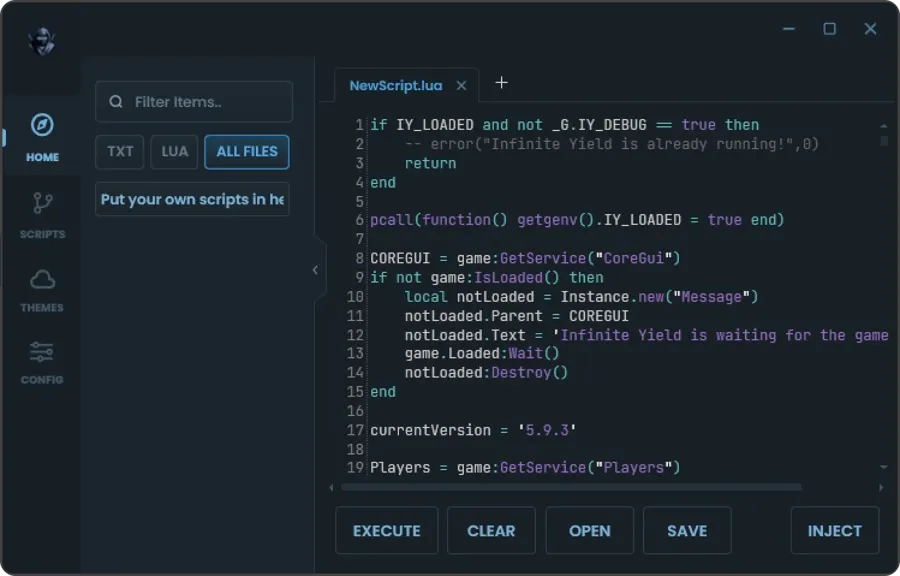
Delta PC requirements
| Item | Minimum | Recommended |
|---|---|---|
| OS | Windows 10 64-bit | Windows 11 |
| RAM | 8 GB | 16 GB |
| Processor | Intel i3 / Ryzen 3 | Intel i5 / Ryzen 5 or better |
| Free storage | 2 GB | 10 GB on SSD |
| Other | Updated .NET and Visual C++ | Virtualization on (for emulators) |
Method 1: Delta installer for Windows
This is the most direct way. The installer is about 6 MB and downloads the remaining files on first launch.
- Download Delta PC with the “Download Delta Executor PC” button above.
- Temporarily turn off Windows Defender (Windows Security > Virus & threat protection > Manage settings > Real-time protection). Executors are often flagged as false positives because they inject code into Roblox.
- Run the .exe as administrator and wait for it to download its components.
- Add an exclusion for the Delta folder in Defender and turn real-time protection back on.
- Open Roblox from your browser or the Microsoft Store app and join a game.
- Open Delta, generate the free key and click Attach / Inject.
- Paste or pick a script and click Execute.
If you get a DLL error or “VCRUNTIME140.dll was not found”, install Visual C++ Redistributable 2015–2022 (x64) from Microsoft’s site and restart.
Method 2: Delta APK in an emulator
If the installer doesn’t work on your PC, or you prefer the mobile version:
- Enable virtualization. In Task Manager > Performance > CPU, check that “Virtualization” says Enabled. If not, turn on VT-x (Intel) or SVM (AMD) in the BIOS.
- Install BlueStacks 5 with an Android 11 (64-bit) instance. Roblox no longer runs on 32-bit instances.
- Download the Delta APK from the main Delta Executor page.
- Drag the APK into the BlueStacks window (or use “Install APK”).
- Open Delta, log in, generate the key and run your scripts.
It works the same in MuMu Player 12 and LDPlayer 9. Recommended settings: 4 CPU cores, 4 GB RAM, DirectX or Vulkan, 60 FPS and 1600×900 or 1920×1080.
Installer or emulator?
| Windows installer | Emulator + APK | |
|---|---|---|
| Performance | Better (native Roblox) | Good, depends on the emulator |
| Setup | Quick | More steps |
| Antivirus alerts | Common | Rare |
| Interface | PC version | Same as mobile |
| Low-end PCs | Best option | May lag |
Delta Executor on Mac
- Apple Silicon Mac (M1–M4): install PlayCover, sign the Delta iOS IPA and run it as an iPad app. See Delta Executor iOS.
- Intel Mac: use BlueStacks for Mac and follow Method 2.
Common PC errors
Delta closes or disappears after opening: your antivirus deleted the file. Restore it from quarantine and add the folder as an exclusion.
“Failed to attach” / “Injection failed”: fully join the game before clicking Attach, and run Delta as administrator.
Roblox closes in the emulator: make sure the instance is Android 64-bit.
“Virtualization disabled”: turn on VT-x or SVM in the BIOS; on Windows 11 also turn off “Memory integrity” if the emulator asks.
Next steps
With Delta installed, learn how to generate the key on Delta Key and which scripts to use on Delta Scripts. For Android, go back to Delta Executor.
Frequently asked questions
Is there a Delta Executor for Windows?
Yes. There's the Delta installer for Windows (v3.61), which you download with the button on this page. You can also run the Delta APK in an Android emulator like BlueStacks 5 or MuMu Player.
What's the best emulator for Delta?
BlueStacks 5 (Android 11, 64-bit) and MuMu Player 12 are the most stable. LDPlayer 9 also works well on low-end PCs.
My antivirus blocks Delta PC. Is that normal?
Yes. Executors inject code into another program (Roblox), and Windows Defender flags that behavior as suspicious. Many users add an exclusion for the Delta folder. Only do this with the file downloaded from this page.
Does Delta work on Mac?
On Apple Silicon Macs (M1 to M4), you can install the iOS version of Delta with PlayCover. On Intel Macs, use an Android emulator like BlueStacks.
Last updated: 08/11/2026