
If you play Roblox on your phone and you’ve seen someone auto-farming in Blox Fruits or teleporting around in Fisch, chances are they were using Delta Executor. It’s the most popular script executor for Android and iOS right now, especially in the Philippines, Brazil, Mexico and Southeast Asia, and it has become the default way to run Roblox scripts on mobile.
This page puts everything in one place: what Delta is, what changed in the latest version, how to download and install the APK the right way, how to get the free key, which games are supported and how to fix the most common errors. The download button gives you the original APK directly, with no link shorteners and no modifications.
What is Delta Executor?
Delta Executor (also called Delta X) is an app that lets you run Lua scripts inside Roblox games. Lua is the language Roblox itself uses to build games. An executor “injects” a script into the game you’re playing, and that script can add features the game normally doesn’t have: auto farm, teleport menus, ESP (seeing players through walls), extra speed and much more.
What makes Delta different from other executors is its focus on mobile. Many older executors only worked on PC, but Delta runs directly on Android, with a touch-friendly interface, a floating button and a built-in script library. That’s why it spread so fast among players who only have a phone.
In practice, Delta works like this:
- It installs as an APK that already includes a modified Roblox client.
- You open the app, log in to your account and join a game as usual.
- A floating Delta icon appears inside the game.
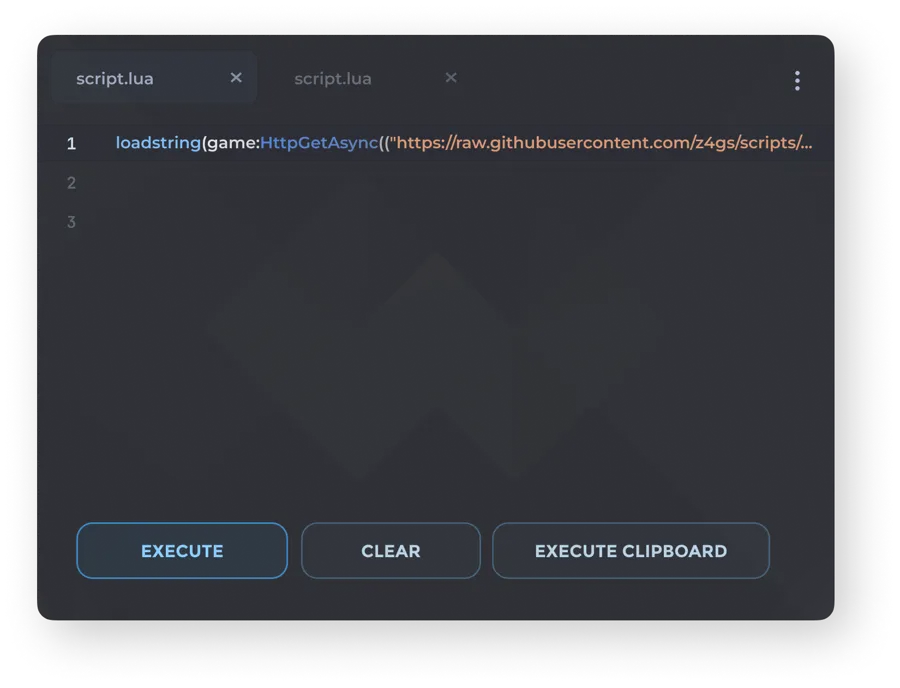
- You paste or pick a script and tap Execute.
- The script starts running instantly, without restarting the game.
Delta is not made by Roblox Corporation. It’s third-party software maintained by an independent team that updates it every time Roblox changes something.
What’s new in Delta Executor v2.745
The current version is Delta Executor v2.745, released right after the latest Roblox update. Every time Roblox changes versions, Delta has to be rebuilt, so new versions come out often. The main changes in this update:
- Support for the newest Roblox version: without it, the app opens but shows the outdated version warning.
- More stable injection: fewer crashes when running big scripts, like Blox Fruits hubs with dozens of features.
- Faster key system: fewer steps to generate the free key.
- Floating button fixes: the icon no longer disappears when you rotate the screen or switch apps.
- Script tab improvements: faster search and scripts sorted by game.
- Lower memory usage: a big help on phones with 3 or 4 GB of RAM.
If you already have Delta installed and it says a new version is available, just download the new APK and install it over the old one. You don’t need to uninstall first, and you won’t lose your saved scripts.
Delta Executor features
There are several Roblox executors, but Delta is still the favorite on mobile thanks to a combination of features few others offer together:
Built for mobile
Everything is designed for touch screens: large buttons, a floating menu you can drag to any corner, and a script editor that works well even on small screens. No keyboard or mouse needed.
Built-in script library
The app has a tab with hundreds of ready-to-use scripts, sorted by game. Instead of hunting for scripts on sketchy sites, you search for the game and run the script from there.
High script compatibility
Delta supports most of the functions modern scripts rely on. That means big hubs that usually only run on PC executors tend to work fine on Delta.
Auto-execute
You can set scripts to run automatically every time you join a game. Perfect if you always use the same farming hub.
Lightweight and fast
It’s optimized for mid-range phones. Even devices with 3 GB of RAM can run Roblox with Delta, as long as you don’t keep too many apps open.
Frequent updates
The team usually releases a new version within hours or a few days of each Roblox update. Check this page to always get the latest build.
Free
You can use all the main features without paying. The only “cost” of the free version is generating the key now and then.
How to download and install Delta Executor on Android
Installing Delta is easy, but one detail trips up a lot of people: Delta replaces the original Roblox app. Follow these steps in this exact order:
- Uninstall Roblox from the Play Store. Delta uses the same package name as Roblox, so Android won’t allow both. Don’t worry: your account and items are stored on Roblox’s servers, not on your phone.
- Tap the “Download Delta Executor APK” button at the top of this page. The APK download starts right away.
- Wait for the file to finish downloading (about 160 MB). Use Wi-Fi if you can, since the file is large.
- Allow installs from unknown sources. When you tap the file, Android will ask for permission. Tap Settings and turn on Allow from this source for the browser or file manager you used.
- Install the APK. Go back and tap Install. If Play Protect shows a warning, tap More details and then Install anyway. This warning appears for any APK outside the Play Store that modifies another app.
- Open Delta and log in to Roblox. We recommend using an alt account (see the safety section below).
- Get the free key when the app asks for it (explained in the next section).
- Join a game, tap the Delta icon and execute your script.
On Xiaomi, Redmi or POCO phones, you may need to turn off “app verification” in the MIUI/HyperOS security settings before installing. On Samsung phones, the Play Protect warning is the same as described above.
Delta Executor for iOS and PC
Delta isn’t just for Android:
- iPhone and iPad: there’s an IPA version that installs without jailbreak, using a signer like ESign, Scarlet or AltStore. It takes about 5 minutes and is explained step by step on Delta Executor iOS.
- Windows PC: use the Delta installer for Windows, or run the Delta APK in an Android emulator like BlueStacks 5, MuMu Player or LDPlayer. Full guide on Delta Executor PC.
On every platform, the key and scripts work the same way.
How to update Delta Executor
Because Delta depends on the Roblox version, updating is part of the routine. When Roblox pushes an update, the old Delta shows “Roblox version outdated” or simply closes when you join a game. To update without losing anything:
- Tap the download button on this page and get the latest APK.
- Install it over your current version, without uninstalling. Android keeps your data, saved scripts and auto-execute settings.
- Open Delta. If your key is still valid, you go straight in; if not, generate a new one.
Only uninstall Delta before updating if installing over it gives a signature error (“App not installed”). That happens when your old version came from another site with a modified APK. In that case, uninstall, download the original version and install it fresh.
Why does Delta stop working after a Roblox update?
Roblox updates its client almost every week, usually on Wednesdays. With each update, the Delta team has to adapt the executor to the new game code, test the injection and rebuild the APK and IPA. This usually takes anywhere from a few hours to 2 days. Until then, the old Delta can’t join games. There’s no safe way to “skip” the wait: versions claiming to work before the official update are fake.
Delta Executor version history
| Version | Main change |
|---|---|
| v2.745 (current) | Support for the newest Roblox version, more stable injection, faster key |
| v2.727 | Floating button fix and script tab improvements |
| v2.726 | Compatibility with the previous Roblox update |
| v2.724 | Lower memory usage on 3–4 GB RAM devices |
Older versions stop working as soon as Roblox updates, so there’s no point installing one. Always use the latest.
How to get the Delta Executor key for free
The free version of Delta uses a key system. The key is a code that unlocks the executor for a while, usually 24 hours. This is how the team keeps the app free: the process goes through one or two pages with ads.
To get yours:
- Open Delta. On the key screen, tap Get Key (the link is copied automatically).
- Paste the link in your browser (Chrome works best).
- Complete the steps on the page, usually waiting a few seconds and tapping “Continue”. Never install apps, extensions or “bypass” tools those pages ask for.
- Your key appears at the end. Copy it.
- Go back to Delta, paste the key and tap Check Key.
That’s it, the executor is unlocked. When the key expires, just repeat. Having trouble or the key won’t work? See the detailed guide on Delta Key, with fixes for the most common errors.
Tip: be careful with any site offering “Delta no key” downloads. Many of those versions are modified and can steal your Roblox account.
Is Delta Executor Premium worth it?
Besides the free version, Delta has a premium subscription sold in its official shop. The main difference is that premium doesn’t ask for a key: you open the app and execute right away.
| Free | Premium | |
|---|---|---|
| Execute scripts | Yes | Yes |
| Script library | Yes | Yes |
| Key every 24h | Yes | Not needed |
| Ads during key process | Yes | No |
| Price | Free | Paid |
If you only play a few times a week, the free version is enough. Premium makes sense if you farm every day and don’t want to repeat the key process. Buy it only from Delta’s official shop: resellers offering “lifetime keys” on social media are almost always scams.
Delta Executor VNG (Vietnam version)
In Vietnam, Roblox is published by VNG with its own client, so there’s a separate build called Delta VNG. If you’re in the Philippines or anywhere else outside Vietnam, use the normal version on this page. The VNG build only works with Roblox VNG accounts. If you do play on Roblox VNG, you can download the Delta VNG APK here.
How to run scripts in Delta
Once Delta is unlocked, running a script takes seconds:
- Join the game you want (for example, Blox Fruits).
- Tap the floating Delta icon to open the menu.
- Go to the Scripts tab and search for the game, or open the Editor and paste a script you already have.
- Tap Execute.
- The script’s interface appears on screen. Turn on the features you want.
Tips to make scripts work better:
- Execute the script after the game has fully loaded.
- If a script freezes, close it, wait a few seconds and run it again.
- Use one hub at a time. Two big scripts at once often freeze the game.
- Old scripts can break after a game update. Use recent ones.
Most popular Delta Executor scripts
These are the games with the most popular Delta scripts right now. On Delta Scripts we explain what each type of script does and how to use them safely.
| Game | Most common script features |
|---|---|
| Blox Fruits | Level auto farm, auto raid, fruit finder, island teleport |
| Fisch | Auto fish, auto sell, teleport to fishing spots |
| Grow a Garden | Auto plant, auto harvest, auto sell, auto-buy seeds |
| 99 Nights in the Forest | Creature ESP, auto collect, speed |
| Pet Simulator 99 | Auto farm, auto hatch, coin collect |
| Brookhaven RP | Fun commands, quick avatar changer |
| Arsenal | Aimbot, ESP, silent aim |
| Steal a Brainrot | Auto steal, base teleport, ESP |
Games supported by Delta
Delta works in the vast majority of Roblox games because it runs scripts in the client itself. In practice, compatibility depends more on the script than on the executor. Games that usually work very well:
- Blox Fruits, King Legacy and other anime games
- Fisch, Grow a Garden and simulators in general
- Brookhaven, Adopt Me and roleplay games
- Arsenal, Rivals and shooters
- Doors, 99 Nights in the Forest and horror games
- Pet Simulator 99 and collection games
Some big games have their own anti-cheat. There, certain scripts may be detected and lead to an in-game kick or ban. Before using a new script, test it on an alt account.
Delta Executor vs. other executors
Many players ask whether Delta is better than Arceus X, Codex or Fluxus. It depends on what you need, but on mobile Delta usually comes out ahead:
| Feature | Delta | Arceus X | Codex | Fluxus |
|---|---|---|---|---|
| Android | Yes | Yes | Yes | Yes |
| iOS without jailbreak | Yes | Yes | Yes | No |
| In-app script library | Large | Medium | Medium | Small |
| Stability with big scripts | High | Medium | High | Medium |
| Update speed | Very fast | Fast | Fast | Varies |
| Free key | Yes (24h) | Yes | Yes | Yes |
| Interface | Modern and simple | Dated | Modern | Simple |
In short: Arceus X was the Android pioneer, but Delta took over thanks to its stability and fast updates. Codex is a solid alternative with a strong community, and Fluxus became better known on PC. If you’re starting on mobile, Delta is the easiest choice.
System requirements
| Item | Minimum | Recommended |
|---|---|---|
| Android | 8.0 (Oreo) | 11 or newer |
| iOS | 15 | 16 or newer |
| RAM | 3 GB | 6 GB or more |
| Free storage | 1 GB | 3 GB |
| Processor | ARM64 | Snapdragon 6xx / Helio G85 or better |
| Internet | Stable 4G / Wi-Fi | Wi-Fi |
Phones running 32-bit Android (ARMv7) aren’t supported by recent Roblox versions, so they can’t run the current Delta either.
Common errors and how to fix them
“App not installed” or “There was a problem parsing the package” Almost always because the original Roblox is still installed, or the download didn’t finish. Uninstall Roblox, delete the APK and download it again.
Delta says the version is outdated Roblox updated and Delta hasn’t yet. Wait for the new version (usually within hours to 1–2 days) and download it again from this page.
The key doesn’t work or says “Invalid Key” Generate a new key. Make sure you copy the whole key with no extra spaces. If you use a VPN, turn it off while generating and checking the key.
The game closes when I execute a script The script may be outdated or too heavy for your phone. Close other apps, restart the game and try a lighter script.
The floating icon doesn’t show up Check that Delta has permission to “Display over other apps” in Android settings. Restart the app after enabling it.
Black screen on launch Clear Delta’s cache in Settings > Apps > Delta > Storage > Clear cache. If it continues, reinstall.
Is Delta Executor safe? Ban risk
Let’s be straight: the original Delta file is not a virus, but using any executor breaks Roblox’s Terms of Use. That means there’s a real risk your account gets punished. To use it more safely:
- Always download the original file. “Modded”, “no key” or “free premium” versions from unknown sites are the number one cause of stolen accounts.
- Use an alt account, never your main account with Robux and rare items.
- Don’t use scripts that ruin the game for others in competitive games. Those get reported the most.
- Never type your Roblox password on script or key sites.
- Don’t install key “bypass” tools. Those .exe or .apk files often contain malware.
Follow these rules and most players use Delta for a long time without problems, but the risk is never zero.
Recommended settings for first use
Once Delta is installed and your key is active, it’s worth adjusting a few settings before running heavy scripts. These simple changes prevent most crashes:
- Set Roblox graphics to minimum. In the Roblox menu (gear icon), switch graphics mode to manual and lower the quality to 1–3. Auto farm scripts run for hours, and high graphics heat up your phone and drop FPS.
- Cap FPS at 30 or 60. On mid-range phones, 30 FPS makes farming more stable and saves battery.
- Move the floating button to a corner. Drag the Delta icon somewhere it won’t cover the game’s buttons.
- Auto-execute only one script. Keep only the hub you always use in the auto-execute folder. Several automatic scripts make joining games slow.
- Turn off battery optimization for Delta. In Settings > Battery > Optimization, set Delta to “Don’t optimize”. That way Android won’t kill the app when the screen turns off mid-farm.
- Keep 2 GB of storage free. Roblox downloads each game’s assets to your phone, and low storage causes random crashes.
Using Delta on mobile data (Globe, Smart, DITO)
A lot of players in the Philippines play Roblox on the go, on mobile data. Delta works fine on mobile data, but a few habits help:
- Download the APK on Wi-Fi. The file is about 160 MB, and every Roblox update downloads more assets. On prepaid promos, that eats your data fast.
- Generate the key on Wi-Fi when you can. Key pages load ads that use data. Since the key lasts 24 hours, get it in the morning at home and play the rest of the day.
- Turn off Android’s “Data Saver” for Delta. When it’s on, the game can disconnect in the middle of a farm.
- High ping isn’t Delta’s fault. If the game lags on data, try the same game without scripts. Most of the time the instability comes from the network.
Delta on tablets and Chromebooks
Delta isn’t limited to phones. Android tablets run the same APK, and the bigger screen makes hub menus much easier to use. Install it exactly as on a phone: uninstall Roblox first, then install the Delta APK.
On Chromebooks with Google Play support, you can install the APK too. Turn on Linux or developer mode only if your Chromebook blocks APK installs, then open the APK file from the Files app. Performance depends on the processor: Chromebooks with Intel Core or MediaTek Kompanio chips handle Roblox well, while very old models may lag on heavy scripts. If your Chromebook can’t install APKs at all, the PC method with an emulator won’t work there either, so a phone or Windows PC is the better choice.
Glossary: terms you’ll see in scripts
If you’re just starting out, some terms show up in every script menu. Knowing them helps you pick the right features:
| Term | What it means |
|---|---|
| Executor | A program that runs scripts inside Roblox, like Delta |
| Script | Lua code that adds features to a game |
| Hub | A big script that bundles many features into one menu |
| Inject / Attach | Connecting the executor to the running game |
| Auto farm | A feature that plays for you: takes quests, defeats enemies and collects items |
| ESP | Shows players, items or enemies through walls |
| Teleport (TP) | Instantly moves your character to another spot on the map |
| Auto-execute | A script that runs automatically whenever you join a game |
| Key | A temporary code that unlocks the free version of Delta |
| HWID | Your device’s ID, used to tie the key to your phone |
| Alt (alt account) | A spare account for testing scripts without risking your main |
| Kick / Ban | Removal from the server (kick) or account block (ban) |
With these terms in mind, it’s much easier to understand what each button in a hub does and to avoid features that draw attention, like constant teleporting near other players.
Pros and cons
Pros
- Free and easy to install
- Built for mobile, with a touch interface
- Script library inside the app
- Fast updates after every Roblox update
- Works on Android, iOS and PC
Cons
- The free version needs a key
- Replaces the original Roblox on Android
- Stops working for a few hours after each Roblox update
- Using it breaks Roblox’s Terms (ban risk)
Conclusion
Delta Executor is still the most practical way to run Roblox scripts on your phone. It’s free, lightweight and updated fast. Just follow the right install order (uninstall Roblox first), get the free key and use an alt account. That way you can enjoy scripts for Blox Fruits, Fisch, Grow a Garden and hundreds of other games without headaches.
Use the button below to download the latest version, and come back to this page whenever Roblox updates: we keep the version info up to date.
Frequently asked questions
Is Delta Executor free?
Yes. Delta Executor is completely free. The free version asks for a key that you generate in a couple of minutes and that lasts about 24 hours. There is an optional premium version that removes the key, but you don't need it to use the executor.
Does Delta Executor work on iPhone?
Yes. There is an iOS version of Delta that installs without jailbreak, using an IPA file and a signer like ESign or Scarlet. See the full guide on the Delta Executor iOS page.
Can I use Delta Executor on PC?
Yes. You can use the Delta installer for Windows, or install the APK in an Android emulator like BlueStacks, MuMu or LDPlayer.
Is Delta Executor safe?
The original file is not a virus. Problems come from modified APKs on unknown sites and fake key bypass tools. Still, using any executor breaks Roblox's Terms of Use and can get you banned, so use an alt account.
Why does Delta say my version is outdated?
Every time Roblox updates, Delta has to update too. Wait for the new version (usually within a few hours to 1–2 days) and download it again from this page.
How long does the Delta key last?
The free key lasts about 24 hours. After that the app asks for a new one, which you generate the same way with the Get Key button inside Delta.
Do I need to uninstall the original Roblox?
Yes. Delta already includes the Roblox client and uses the same package name, so Android won't let you install both. Uninstall Roblox from the Play Store before installing the Delta APK.
Does Delta Executor work in every Roblox game?
It works in most games, including Blox Fruits, Fisch, Grow a Garden, Brookhaven, Pet Simulator 99 and 99 Nights in the Forest. Some games have their own anti-cheat and may detect or block certain scripts.
Last updated: 08/11/2026